
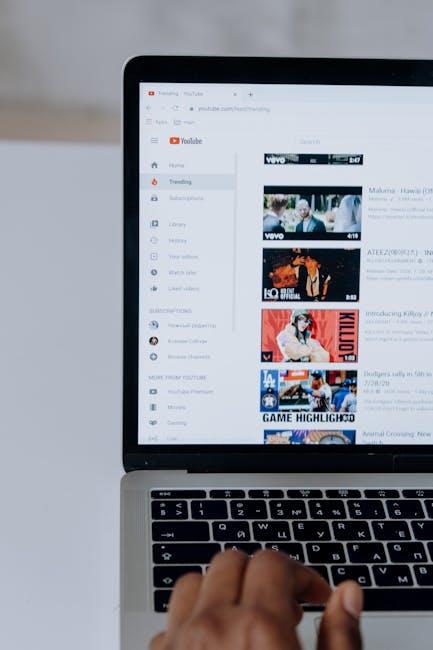
Ever found yourself waiting for what feels like an eternity for that one epic cat video to load, only to be greeted by the dreaded buffering circle? If you’ve ever screamed at your screen or contemplated a career change to a professional internet speed tester, you’re not alone! We’ve all been there, frantically refreshing and praying the internet gods would bless us with faster loading times. So, why is your YouTube suddenly moving at a snail’s pace? Let’s dive into the buffering mystery together—unpacking the sneaky culprits that could be dragging down your streaming experience and exploring some simple solutions to get you back to binge-watching in record time. Trust me, it’s not just you and your patience that’s being tested!
Understanding Your Internet Speed: The Key to Smooth Streaming

Internet speed is like the lifeblood of your streaming experience. When you settle in for a binge-watch session, the last thing you want is that dreaded spinning wheel of doom. You may not realize it, but several factors play into how smooth your YouTube experience goes. It’s not just about the advertised speed from your ISP; it’s also about bandwidth, the number of devices connected, and even your router’s age. Think of it as a highway: if too many cars are trying to merge into one lane, you’re bound to hit traffic. So, if your streaming keeps buffering, it might be time to consider your internet habits and set-up.
To get a clearer picture of your internet situation, here are some key factors to watch for:
- Download Speed: This is how fast data travels from the internet to your device. A speed of 5-10 Mbps is often enough for smooth HD streaming.
- Ping Rate: A lower ping means less lag time, which can significantly enhance your viewing experience.
- Network Congestion: More devices streaming simultaneously can slow down your connection. Limit other activities like large downloads while you watch.
Here’s a handy table to give you an idea of what speeds you might need based on your streaming habits:
| Quality | Recommended Speed (Mbps) | Typical Usage |
|---|---|---|
| Standard Definition (SD) | 3-4 Mbps | Casual viewing (Netflix, Youtube) |
| High Definition (HD) | 5-10 Mbps | Movies and shows with higher quality |
| 4K Ultra HD | 25 Mbps or more | High-end streaming and gaming |
Understanding your internet speed isn’t just fluff; it’s essential for smooth streaming. The better you grasp what’s going on under the hood, the more you can tweak your setup for an uninterrupted experience. So, before you hit that play button, make sure your speed’s in the optimal zone!
The Role of YouTube’s Algorithm in Your Buffering Woes

You might be sitting back, ready to dive into the latest vlog or your favorite music video, only to find yourself staring at the dreaded buffering icon. What gives? Well, YouTube’s algorithm plays a significant role in determining how smoothly your videos play. This powerful engine is constantly analyzing a ton of factors—like video quality, server load, and your internet speed. Think of it like an orchestra conductor, coordinating everything behind the scenes to deliver the perfect viewing experience. However, if your connection is shaky or if too many people are trying to access the same content, it can mess up the flow, leading to that frustrating spinning wheel of doom.
Moreover, the algorithm is designed to optimize recommendations based on your viewing habits, but this process can create bottlenecks. When a new video drops and it goes viral, the sheer volume of requests can cause servers to lag, affecting everyone trying to stream at that moment. If you’re dealing with constant buffering, consider these factors:
- Video Resolution: Higher resolution means more data to load; try switching to HD or Standard Definition.
- Network Congestion: Evening hours are peak times when everyone’s streaming.
- Device Compatibility: Older devices might struggle with modern video formats.
With these insights, you can start troubleshooting to see if you can ease your pain points. It’s like tuning up a car—making small adjustments can lead to a much smoother ride. Pay attention to your connection stability, and try adjusting your settings based on what you learn from the algorithm’s behavior. Being proactive not only enhances your experience but also gets you back to binge-watching without interruptions.
Troubleshooting Common Device Issues That Slow Down Playback

Experiencing frustrating lags and endless buffering can turn your YouTube binge into a test of patience. Often, these slowdowns are due to a few pesky culprits lurking in your device or internet connection. Start by checking your Wi-Fi signal strength; if you’re far from the router, you might as well be watching paint dry. Position yourself closer or consider getting a range extender. Then, take a peek at your device. Too many apps running in the background can gobble up your processing power like a hungry teenager at a buffet. Closing unused apps can sometimes work wonders!
If your connection seems solid, but the loading wheel keeps spinning, consider running some basic diagnostics. Try resetting your router; it’s basically like giving it a caffeine fix – it might just need a little jolt to wake it up! You can also clear your browser’s cache and cookies, which is akin to cleaning out your junk drawer—it clears the clutter and can speed up performance. Lastly, check your device for updates; running on outdated software is like trying to run a marathon in flip-flops. Keeping everything updated ensures you’re not missing out on optimizations designed to improve performance.
Maximizing Your Home Network for an Uninterrupted Viewing Experience
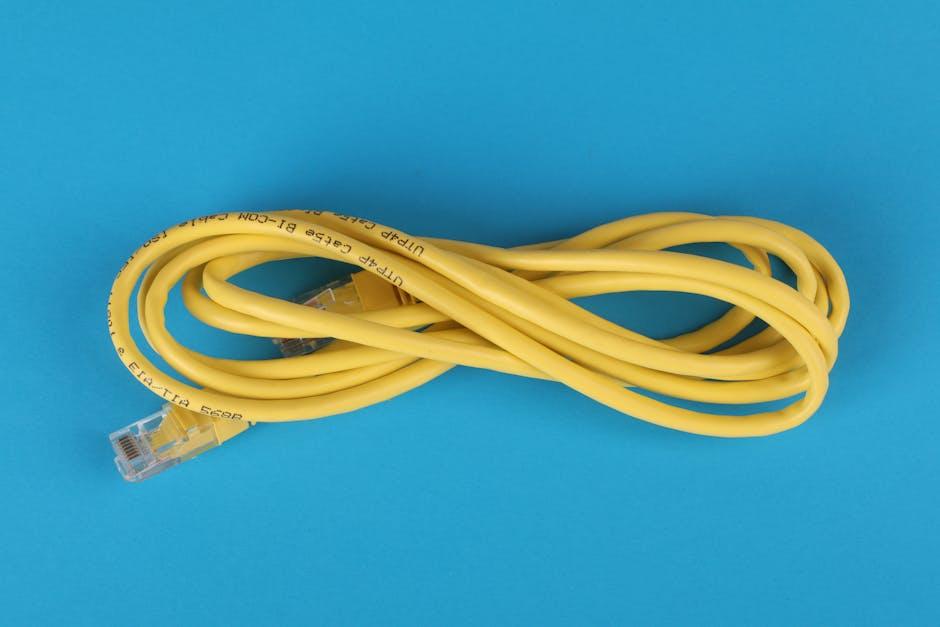
Ever experienced that moment when you’re all set for an exciting YouTube binge, only to be met with an ominous buffer wheel? It’s like gearing up for a movie night only for the power to go out! To keep your streaming smooth, you need to ensure your home network is optimized for speed and reliability. Start by placing your router strategically—ideally in a central location away from thick walls, metal objects, or appliances that could interfere with the signal. Consider investing in a Wi-Fi extender if your connection seems weak in certain areas of your home. And, don’t forget the old-school method: sometimes, a simple restart of your modem and router can work wonders by clearing out any temporary hiccups in the connection.
Another crucial factor is the number of devices hogging your bandwidth. Picture your Wi-Fi like a highway; if too many cars are on the road, everyone gets stuck in traffic. Make it a habit to check what devices are connected, and kick off any that aren’t necessary during your viewing session. It might also be wise to switch to a wired connection if possible; not only does it provide a more stable connection, but it can also be significantly faster than Wi-Fi. You could even create a dedicated streaming network for your smart TV, eliminating competition from all those other devices. With a little tweaking, you could be zooming through videos without interruption!
Future Outlook
And there you have it—the great buffering mystery unraveled! No one likes waiting for videos to load, right? It’s like being at a stoplight that just won’t change. Just remember, whether it’s your internet speed, device hiccups, or pesky browser settings, there’s usually a culprit hiding behind that spinning wheel of doom.
So, next time you find yourself staring at a frozen frame of your favorite cat video, take a deep breath and run through the checklist we discussed. Tweak that Wi-Fi setup, clear some storage space, or even consider upgrading your plan if you’re constantly stuck in buffering purgatory. Your binge-watching experience deserves to be smooth and seamless!
Happy streaming, and may your YouTube sessions be ever in your favor—free of lag and full of laughter! If any more questions pop up in your mind, you know where to find us. Until next time!