
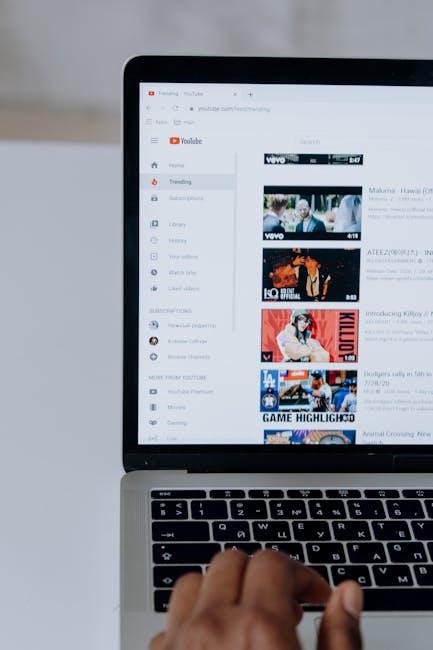
Have you ever felt like a kid peeking through a keyhole, eager to see what’s happening on the other side? That’s often how it feels when you stumble upon YouTube’s Restricted Mode. It can be a bit of a buzzkill, blocking out that hilarious video or insightful documentary you were dying to watch. But don’t worry! Unlocking the full potential of YouTube is easier than finding your favorite song in an endless playlist. In this simple guide, we’ll walk you through the steps to disable Restricted Mode, empowering you to explore, learn, and enjoy all the content the platform has to offer. So, grab a snack, settle in, and let’s dive deep into the world of YouTube freedom!
Understanding Restricted Mode and Its Purpose
Restricted Mode on YouTube is a feature designed to filter out potentially mature content, making it a safer space for younger viewers or for those who prefer a more curated experience. Think of it as a protective bubble; while it aims to block out the unwanted, it can sometimes also stifle the variety and richness that YouTube has to offer. Imagine walking into a vibrant art gallery and finding some of the best pieces covered up because someone decided the displayed works might be too edgy. That’s what Restricted Mode does; it can limit your access to a wide range of videos, channels, or comments that might simply have a hint of controversy or adult themes.
When you enable Restricted Mode, YouTube uses a combination of user feedback and community flagging to automatically filter out content that might not be suitable for all audiences. This includes videos containing strong language, graphic content, or mature themes. However, it’s crucial to remember that this tool isn’t foolproof. Some great content could end up in the shadows, missing out on your watchlist. If you’re looking to explore everything YouTube has to offer—like that hilarious, borderline absurd video that your friends keep raving about—you might want to consider turning off this feature. Here’s a quick rundown of what Restricted Mode affects:
- Video recommendations: Less variety in your suggested videos.
- Comments section: Potentially less engaging discussions.
- Search results: Limited visibility of some search queries.

Navigating YouTube Settings with Ease
Stepping into the depths of YouTube settings can feel like wandering through a digital jungle, but once you get your bearings, it’s a breeze. To disable Restricted Mode, start by clicking on your profile picture in the top right corner. In the dropdown menu, select Settings. From there, navigate to the General tab, where a toggle for Restricted Mode awaits your command. Flick that switch off, and just like that, you’ve opened the door to a wider range of content that was previously hidden away. It’s like finding an extra room in your favorite café, full of tantalizing treats!
But let’s not stop there! YouTube settings can elevate your viewing experience in so many ways. For a more personalized touch, explore these options:
- Playback and performance: Adjust the quality settings to ensure smooth streaming, even on slower connections.
- Your data in YouTube: Check your watch history and manage your subscriptions to curate your video feed.
- Notifications: Customize what alerts you want to receive to stay updated without feeling overwhelmed.
Understanding these settings not only enhances your YouTube journey but also gives you control over what appears on your screen. Think of it as customizing your online lounge; everyone deserves a space that reflects their tastes!
Step-by-Step Guide to Disabling Restricted Mode
If you’re itching to dive into the full ocean of YouTube content without any limits, it’s time to turn off that pesky Restricted Mode. You might not even know it’s on, but let’s face it: life’s too short to miss out on the gems hiding beneath the surface! Here’s how you can do it:
On Desktop:
- Open YouTube and log into your account. Make sure you’re signed in—no spontaneous diving allowed!
- Click on your profile picture in the top right corner to reveal a dropdown menu.
- Find the Settings option and give it a click.
- Under General, look for Restricted Mode. Toggle that bad boy off!
Now, if you’re on mobile, don’t sweat it; it’s just as easy!
On Mobile:
- Open the YouTube app and log in. We know you’ve got the app for a reason!
- Tap on your profile picture, just like the desktop version.
- Select Settings and head to General.
- Find Restricted Mode and slide that switch to the off position.
What to Do If Restricted Mode Wont Turn Off
If you’re scratching your head wondering why Restricted Mode just won’t budge, don’t freak out! Sometimes, this pesky feature can feel like a digital ex. It keeps hanging around even when you’re ready to break up! Start by checking your settings on both the website and the app. On the YouTube site, head down to the bottom of the page, where you’ll find a little gear icon. Click on it, and there you go—Restricted Mode should be sleeping, not active. If it’s still clinging on, consider logging out and back in. Sometimes a virtual reboot does wonders.
If all that fails, let’s troubleshoot a layer deeper. Make sure you’re not under the clutches of any network restrictions—sometimes schools or workplaces impose these limits. If that’s the case, try connecting to a different Wi-Fi network, like your home network or even a hot spot. If you’re still stuck in restricted territory, it might be time to check with your Google account settings or the parental controls if you’re on a family account. You might just find that these settings are shadowing your YouTube experience, preventing the free-spirited viewership you deserve!

In Conclusion
And there you have it—disabling Restricted Mode on YouTube is as easy as pie! No more missing out on your favorite content or stumbling across those frustrating “this video is unavailable” messages. Just a few clicks, and you’re back in the driver’s seat of your YouTube experience.
Remember, whether it’s for indulging in some music, catching up on vlogs, or diving into niche documentaries, you deserve to explore all that YouTube has to offer. So don’t let restrictions hold you back; embrace the unfiltered side of your favorite platform!
Got any tips or tricks of your own to share? Or maybe a must-watch video that you can’t get enough of? Drop those in the comments! We’d love to hear from you! Happy watching, and may your YouTube journey be limitless!