
Ever found yourself humming along to your favorite tunes on YouTube Music, only to hit a wall when you try to share those playlists with friends? It’s like bringing the best dish to a potluck but forgetting the serving spoon! You’re not alone in this puzzling predicament. Many users hit that frustrating snag, and it’s enough to make you wonder if there’s a secret recipe for sharing those melodic masterpieces. So, why exactly can’t you share your playlists, and what’s going on behind the scenes? Let’s unravel the mystery together and get you back to sharing those killer playlists without a hitch!
Reasons You Might Be Struggling to Share Your Playlists
Ever find yourself scratching your head, wondering why sharing your carefully curated YouTube Music playlists seems more complicated than it should be? You’re not alone! Many users struggle with playlist sharing due to various issues that can throw a wrench in their plans. For instance, check your privacy settings—if your playlists are set to ‘private,’ they’re not exactly going to be the life of the party. Additionally, network glitches can occasionally trip you up. Maybe your Wi-Fi is acting like a grumpy cat, and you just can’t connect to the outside world to hit that “share” button.
Then there’s that pesky age-old dilemma: compatibility and platform limitations. Not every platform plays nicely with each other, and if your friend uses a different music service, it might feel like you’re trying to send a text from an ancient flip phone. And let’s not forget about the complexity of sharing links effectively. Sometimes, a simple copy-paste just doesn’t cut it, especially if the URL is as long as a summer day! The next time you find yourself in a spot of playlist-sharing trouble, consider these factors:
- Privacy Settings: Check if your playlists are set to private.
- Network Issues: Ensure you have a stable internet connection.
- Platform Limitations: Know if your friends use the same streaming service.
- Link Sharing Techniques: Use URL shorteners for long links.
Exploring Playlist Privacy Settings That Could Be Tripping You Up
We’ve all been there—spent hours crafting the perfect playlist on YouTube Music, only to find out you can’t share it with your friends. It’s like baking the world’s best cake and no one can have a slice! The reason often boils down to your privacy settings. When you create a playlist, you have a choice between making it public, unlisted, or private. If you accidentally set it to private, then even your mom won’t be able to see it, let alone your pals. To avoid this, check your playlist settings by clicking the “Edit” button on your playlist. If you want to spread the musical joy, make sure to toggle that setting to public or unlisted, depending on how much you want to keep it on the down-low.
Another sneaky culprit could be the content restrictions on YouTube Music. Some songs or videos are subject to licensing agreements that limit their visibility. This means that if your playlist includes tracks that are region-locked or removed from public access, it won’t be shareable either. In a nutshell, here’s a quick checklist to make sharing seamless:
- Ensure your playlist is set to public or unlisted.
- Double-check for any region-restricted content.
- Review your account settings for any other privacy configurations that might apply.

Create Playlists Like a Pro: Tips for Making Them Shareable
Creating playlists that are not just enjoyable but also easily shareable can truly elevate your music experience. Think of your playlist as a curated story: each song contributes to the overall vibe. To make sure your playlists are ready to be shared with friends or followers, consider these tips:
- Theme it up: A playlist with a clear theme—like “Summer Vibes” or “Chill Monday Moods”—invites listeners in.
- Flow and arrangement: Organize your songs so that they transition smoothly from one to the next. It’s like crafting a rollercoaster ride of sound.
- Engaging descriptions: Write a fun, snappy description that lets people know what to expect. A catchy line can be the hook that invites clicks!
- Cover art: Don’t skip on visual appeal! Create eye-catching album art that reflects your playlist’s vibe—think of it as the playlist’s outfit.
To take it a step further, consider using the collaborative features available on YouTube Music. This not only allows friends to contribute their favorite tracks but also creates a sense of community. Here’s a quick comparison of playlist types:
| Playlist Type | Sharing Capability | Collaboration Feature |
|---|---|---|
| Public | ✔️ Anyone can find and share | ❌ No |
| Unlisted | ✔️ Share with specific links | ✅ Yes |
| Private | ❌ Only you can access | ❌ No |
Unlocking the Secret to Seamless Playlist Sharing Across Platforms
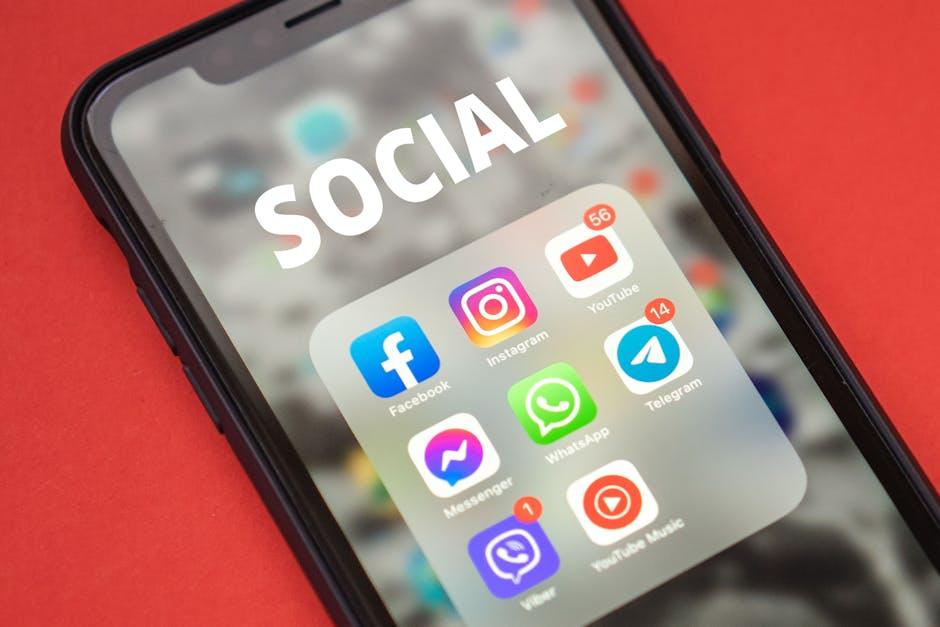
Let’s face it: figuring out how to share playlists across different music platforms can feel like trying to solve a Rubik’s Cube blindfolded. You’re jamming out to your favorite tunes on YouTube Music, and you want to share the vibe with your friends on Spotify or Apple Music. But alas! Simple sharing often feels like a secret society initiation ritual. Each platform has its quirks—YouTube Music allows you to share links easily, but those links might only lead your buddies down a rabbit hole of confusion if they’re on a different platform. In short, if you want everyone to enjoy your carefully crafted playlists, some workaround magic is essential.
To bridge the music sharing gap, consider these nifty strategies:
- Third-Party Apps: Use platforms like SongShift or TuneMyMusic to transfer playlists from one service to another effortlessly.
- Manual Creations: If all else fails, you can always recreate your playlist from scratch on the other platform—but who has the time?
- Social Sharing: Share those YouTube Music playlists on social media with catchy captions and a little encouragement for your crew to dive into the world of YouTube music!
It’s all about making those playlists accessible so everyone can vibe together. And let’s be real—music sharing shouldn’t be a headache. So next time you’re stuck, remember there’s always a workaround and a community ready to help you hit the right notes!
The Conclusion
And there you have it! Sharing your YouTube Music playlists might feel like trying to catch a slippery fish—frustrating, but totally doable once you understand the waters. Whether it’s a quirk in the app, some privacy settings, or just the platform playing hard to get, knowing why you can’t share those carefully curated playlists can save you a lot of headaches (and maybe a few sympathetic sighs from friends).
So, the next time you’re jamming out to your favorite tracks and itching to share the vibes with your pals, remember this little guide in your back pocket. Be persistent, explore the app, and keep your playlists alive and kicking! Who knows? Maybe your next playlist could be the soundtrack to someone’s best day ever. Happy sharing, and may your playlists flow freely! 🎶