
You know that feeling when you stumble upon a YouTube channel with a banner that just pops? It draws you in, makes you curious, and before you know it, you’re clicking that subscribe button. That’s the magic of an eye-catching YouTube banner! In a sea of endless content, a well-crafted banner not only represents your brand but also sets the tone for what viewers can expect from your channel. So, whether you’re a seasoned creator or just starting out, designing a stunning banner doesn’t have to be a headache. Let’s dive into this easy guide and uncover the secrets to crafting a banner that will grab attention and make viewers stop scrolling. Ready to transform your channel’s first impression? Let’s get started!
Choosing the Right Dimensions: Perfect Fit for Every Screen
Getting the dimensions just right for your YouTube banner is like picking the perfect outfit for a date; you want it to fit well and make an impression. The recommended size is 2560 x 1440 pixels, but it’s essential to keep your design within the safe area of 1546 x 423 pixels to ensure it looks great on all devices—from big screens to tiny smartphones. Think of it as a canvas: if you paint too close to the edges, critical details might get cut off when viewed on different screens. With YouTube’s quirky art gallery of resolutions, paying attention to these measurements ensures that your creativity isn’t lost in translation.
Moreover, keep in mind the aspect ratios that come into play. This affects how your banner displays across desktop, tablet, and mobile views. Consider these important points for optimal results:
- Landscape orientation
- Utilize high-quality images to maintain a professional look.
- Text should be clear and readable even in smaller formats.
Here’s a quick glance at the sizes you should keep in mind for different devices:
| Device Type | Recommended Size (pixels) |
|---|---|
| Desktop | 2560 x 1440 |
| Tablet | 2048 x 1152 |
| Mobile | 1546 x 423 |
By aligning with these dimensions, your YouTube banner will not only fit well but also stand out, much like a well-tailored suit at a cocktail party! It’s all about balance, clarity, and making sure your viewers can grab the essence of your channel at first glance.
Color Palettes That Pop: Making Your Banner Stand Out
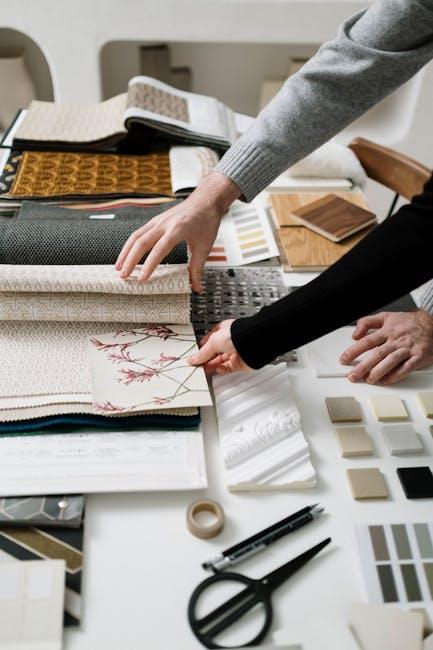
When it comes to banners, color is your secret weapon. Think of color palettes as a master recipe; the right hues can create visual harmony and grab attention like a moth to a flame. Consider bold contrasts to elevate your design: vibrant oranges paired with deep blues or sunny yellows against rich purples can create a stunning visual impact. You want your banner to leap off the screen, right? Using complimentary colors not only aids in readability but also enhances brand recognition. A pop of color here and there can make your banner feel alive, so don’t shy away from mixing and matching until you find the combo that feels just right.
Here’s a quick cheat sheet for picking those perfect colors:
| Color Pair | Vibe |
| Coral & Teal | Fresh & Inviting |
| Purple & Gold | Luxury & Creativity |
| Black & Neon Green | Edgy & Modern |
Play around with shades and textures too! A little gradient can add dimension, making your banner more visually appealing. And if you’re feeling really adventurous, think about mixing in some metallics or pastel tones for an unexpected twist. You want your YouTube banner to be not just a visual but an experience—something that captures your essence and pulls viewers in like a great movie trailer. So, go on, unleash those colors and watch your banner shine!
Images and Fonts: Crafting a Visual Identity That Speaks
Creating a striking YouTube banner is like dressing your channel for a big date; it has to grab attention and reflect your personality! Choosing the right images is crucial—think of them as the bold brushstrokes in your masterpiece. Whether it’s an eye-catching landscape or a fun, candid shot of you in action, your images should resonate with your content. This not only establishes a connection with viewers but also creates an emotional bond that keeps them coming back. Don’t forget to consider the colors that reflect your brand. Picking a cohesive color palette can elevate your banner from basic to breathtaking.
Then there’s the matter of fonts. The typeface you select should complement your visuals and be easy to read. A fancy script might look cool, but if no one can decipher it, what’s the point? It’s a bit like choosing a restaurant based on its menu—make sure it’s appetizing and easy to digest! Aim for a combination of font styles to add depth, but keep it less than three to avoid visual chaos. Here’s a quick rundown of effective font combinations:
| Font Style | Best For |
|---|---|
| Sans-serif | Modern channels, clear messaging |
| Serif | Elegant themes, classic vibes |
| Display | Creative niches, personality |

Incorporating Your Branding: Building Recognition with Every View
When designing your YouTube banner, it’s like dressing your channel for a big date—you want it to stand out and make an impression! To make sure your branding shines, focus on consistent colors, fonts, and imagery that align with your overall identity. Think of your banner as the front door of your digital home; if it’s inviting and stylish, viewers are more likely to step inside. Aim for a harmonious blend that speaks to your audience, using visuals that resonate with your content. A strong brand presence can spark instant recognition, and this familiarity is key in drawing in those crucial clicks!
Here’s a quick rundown of elements to consider when crafting your banner that encapsulates your brand:
- Logo: Place your logo prominently. It’s your brand’s signature, after all!
- Tagline: Include a catchy tagline that summarizes what you’re about in one snappy line.
- Color Scheme: Stick to a palette that reflects your brand’s personality—bold colors for excitement, muted tones for calm.
- Imagery: Use visuals that relate to your content theme; for example, if you’re into travel, choose inspiring landscape shots.
Incorporating these elements cohesively will not only craft a visual feast for your audience but also build familiarity and trust over time. We’ve even whipped up a little comparison table to illustrate how different color schemes can evoke distinct feelings:
| Color Scheme | Emotion Evoked |
|---|---|
| Bold Reds | Excitement, Passion |
| Calming Blues | Trust, Serenity |
| Earthy Greens | Stability, Nature |
To Wrap It Up
And there you have it! Crafting an eye-catching YouTube banner doesn’t have to feel like brain surgery. With just a sprinkle of creativity and a dash of design savvy, you can whip up a banner that not only represents your brand but also pulls viewers in like moths to a flame. Remember, your banner is the first impression people get of your channel—it’s like the cover of a book that’s begging to be read. So, take some time to make it shine!
Experiment, have fun, and don’t be afraid to let your personality shine through. Whether you’re channeling your inner artist or keeping it sleek and minimal, the key is to stay true to your style. So grab those design tools and start creating! Before you know it, your YouTube channel will be sporting a banner that’s not just eye-catching, but also unmistakably you. Happy designing!