
Let’s face it—your YouTube video might be pure gold, but if your thumbnail looks like a rushed doodle on a napkin, viewers might scroll right past it. Thumbnails are the yellow brick road leading to your content kingdom! Think of them as your video’s first impression; they’re what draws people in, sets the vibe, and boosts your click-through rates. In this article, we’re diving into the art and science of mastering YouTube thumbnails to ensure they always hit the mark. Get ready to transform those little images into captivating visual hooks that have people saying, “I’ve got to check that out!” So, grab a snack, and let’s unlock the secrets to creating thumbnails that not only fit perfectly but shine brighter than a diamond in a sea of dull stones!
Crafting Eye-Catching Designs That Grab Attention
When it comes to YouTube thumbnails, think of them as your video’s first impression—like a warm smile that draws people in. To craft designs that pop, focus on bold colors, striking imagery, and concise text. The best thumbnails don’t just sit there; they *scream* “Click me!” Use contrasting colors to make your elements stand out. For instance, if your background is dark, a bright yellow or white font can catch the eye. Incorporate faces; human elements add a personal touch, making viewers feel a connection even before they hit play.
Now, let’s break down some essential components of a successful thumbnail:
- Simplicity: Don’t clutter with too many details; a clean look resonates better.
- Text Clarity: Use large, readable fonts so that even in tiny previews, viewers can understand.
- Brand Consistency: Keep a consistent style that reflects your channel’s vibe for instant recognition.
- Emotion Evocation: Use images or colors that convey the mood of the video, sparking curiosity.
Here’s a quick glance at the elements that can make or break your design:
| Element | Impact |
|---|---|
| Color Scheme | Grab attention quickly |
| Typography | Communicate effectively |
| Imagery | Create a connection |
| Branding | Build recognition |
Understanding Color Psychology to Enhance Click-Through Rates
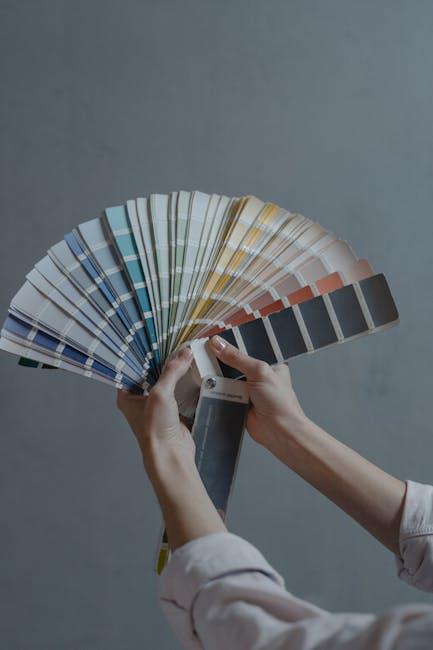
Colors are like the secret sauce in your YouTube thumbnail recipe. They don’t just sit there looking pretty; they have a way of tugging at our emotions and influencing our decisions. For instance, blue often evokes trust and calmness, making it perfect for professional content, while red grabs attention with its energetic vibe, useful for thrilling or adventurous topics. Think of color as the personality of your thumbnail—just like a cheerful friend can lift your spirits, the right color can draw viewers in, making them click faster than you can say “subscribe.” Remember, it’s not just about what looks good; it’s about what feels right for your brand and message.
To nail that click-worthy effect, consider searching for the right mix of colors that resonate with your audience. Here’s a quick rundown of how different hues might impact views:
| Color | Emotion/Effect | Ideal Use Cases |
|---|---|---|
| Red | Excitement, urgency | Adventures, promotions |
| Blue | Trust, calm | Educational, corporate |
| Green | Growth, health | Wellness, nature |
| Yellow | Happiness, positivity | Vlogs, lifestyle |
By leveraging the emotional power of colors, you’re not just making a thumbnail; you’re crafting a visual story that encourages clicks. So, take the time to experiment and analyze which color combinations resonate best with your content and audience. Think of it as playing a game where the stakes are high—your views depend on how well you know your colors! Dive into the psychology behind your color choices, and you’ll unlock the potential for more engaging and effective thumbnails.

Creating a Compelling Visual Story Without Words
Visual storytelling is all about that spark—something that instantly grabs attention and pulls viewers in. Think of your thumbnail as the cover of a book; it needs to tell a story on its own. To achieve this, focus on a few key elements: bright colors, strong imagery, and engaging fonts. They should create a sense of urgency, excitement, or curiosity. For instance, using a striking image of a surprised face can evoke emotion and intrigue, making people wonder what’s going on. Layer it with a bold, contrasting text that clearly conveys the essence of your video, and you’re halfway there to nurturing a visual story that speaks louder than words.
Don’t forget to leverage iconography and simple graphics that reinforce your theme. These elements not only enhance your story but also make it universally understandable, even without language. Here’s a quick checklist to guide you:
- Color Palette: Choose 2-3 complementary colors that pop.
- Imagery: Use high-resolution, relevant images.
- Text Clarity: Keep it minimal, preferably 3-6 words.
- Branding: Incorporate your logo subtly to build recognition.
When all these pieces fit together seamlessly, your thumbnail transforms into a miniature masterpiece that entices viewers to learn more, effortlessly weaving a compelling narrative without uttering a single word.

A/B Testing Your Thumbnails for Ultimate Optimization
When it comes to optimizing your thumbnails, A/B testing is like having a secret weapon in your YouTube arsenal. Instead of throwing spaghetti at the wall and hoping something sticks, you can test variations and see which one draws in viewers more effectively. Imagine your thumbnails as the front window display of a trendy boutique; it has to pop and attract customers, right? Here’s how to make it happen:
- Color Choices: Sometimes a simple change in background color can make a huge difference. Test bold versus muted tones.
- Text Overlay: Experiment with different fonts and sizes. Does a bigger headline catch attention, or is it too busy?
- Image Focus: Try using a close-up of your subject versus a wider shot. Which one feels more inviting?
Set up your A/B tests by keeping the variations simple but distinct. You want to isolate one element at a time to really gauge its impact. Run your tests for a consistent period—about a week or two—and track the results meticulously. Here’s a quick look at a sample tracking table that could help you visualize your performance:
| Thumbnail Version | Views | Click-Through Rate (%) |
|---|---|---|
| Version A | 1,200 | 8.5 |
| Version B | 1,500 | 10.2 |
With ongoing analysis and adjustment of your thumbnails, you’ll hone in on what resonates with your audience, turning curiosity into clicks. Remember, each tweak is a step towards that ultimate optimization you’re aiming for.
The Conclusion
And there you have it! Creating the perfect YouTube thumbnail is like crafting a little piece of art that draws viewers in like moths to a flame. Think of it as your video’s front door—when it’s inviting, people want to step inside. Remember, a well-designed thumbnail isn’t just eye-candy; it’s a hook that reels in your audience and sets the stage for what’s to come. So, take the tips we’ve discussed, play around with colors, fonts, and imagery, and find what resonates with your brand.
Don’t be afraid to experiment—just like cooking, sometimes the best recipes come from a bit of trial and error. Keep refining your skills, staying updated on trends, and, most importantly, have fun with it! Your next perfect fit thumbnail might just be a click away, ready to launch your video views into the stratosphere. Happy thumbnail crafting!