

Imagine this: you’re lounging on your couch, ready to dive into your favorite YouTube video, but suddenly, your speakers start throbbing like a bass-heavy nightclub. It’s the kind of sound that rattles not just your windows but also your sanity! Let me tell you, mastering your sound doesn’t have to feel like rocket science. Whether you’re a budding content creator or just someone looking to enhance your listening experience, finding a balance—especially when it comes to bass—can elevate your enjoyment to a whole new level. In this article, we’ll dive into some nifty tips and tricks that will have you taming that rumbling bass like a pro, ensuring your audio is crisp, clear, and just right for whatever you’re watching. So, are you ready to turn that audio chaos into a symphony? Let’s get started!
Finding the Sweet Spot: Understanding Bass Levels for Clarity
Getting the bass just right in your YouTube videos can feel a bit like tuning a musical instrument; too much and it sounds muddy, too little and it lacks depth. Finding that sweet spot involves understanding how bass interacts with the rest of your sound. Ideally, you want bass levels that support your content without overpowering it. Imagine your viewer trying to listen to you while a bass-heavy track is thumping away in the background—frustrating, right? Strive for clarity by conducting quick tests. Play your video with various bass levels, using a decent pair of headphones or speakers, and see how the audio feels. You’re looking for that balance where the bass adds a richness but doesn’t steal the show.
Another tip? Use equalization (EQ) wisely. That means cutting unnecessary low frequencies can make a massive difference. Here’s a quick checklist for optimizing your bass levels:
- Use a high-pass filter: This can help eliminate infrasonic lows that make your audio sound boomy.
- Avoid excessive boosts: Instead of cranking up the bass, focus on balancing it against mid and high frequencies.
- Monitor different environments: Test how your audio sounds on various devices, like phones, tablets, and speakers.
To give you a clearer picture of effective bass management, check out the comparison table below:
| Method | Description |
|---|---|
| High-Pass Filter | Eliminates unnecessary low-end frequencies for a cleaner sound. |
| E.Q. Adjustments | Helps balance bass with mids and highs without overwhelming the audio. |
| Sound Check | Testing audio on multiple devices ensures clarity across platforms. |

Taming the Beast: Effective Techniques to Control Low Frequencies
Handling those booming low frequencies can feel like trying to tame a wild beast. Luckily, there are effective techniques you can use to rein in that unruly bass. One of the simplest ways is to adjust equalization settings. By reducing the levels of the lower frequencies, you can create a clearer sound that balances well with the rest of your audio. Try experimenting with a parametric equalizer – with this tool, you’ll have more control over specific frequency ranges. Set a gentle notch around 60-100 Hz to see how the overall quality improves. It’s like putting a leash on the bass so it behaves instead of overpowering the mix!
Additionally, utilizing high-pass filters can be a game changer. This technique allows you to cut frequencies below a certain threshold, letting you preserve those delightful mids and highs while keeping the bass in check. You could also consider using dynamic range compression. This approach helps maintain a consistent level of sound, preventing unexpected bass spikes. If you want fine-tuned control, aim for a ratio of about 3:1 on your compressor settings. Think of it like putting your bass in a cozy room where it can play, but it won’t disturb the neighbors!
Tools of the Trade: Essential Equipment for Optimal Sound Management
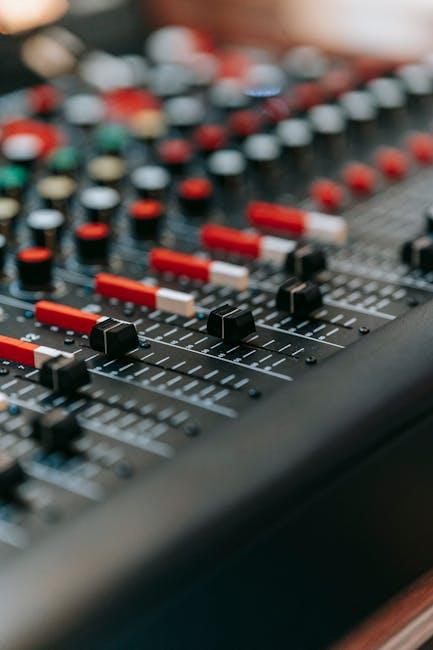
To achieve the perfect sound balance, especially when it comes to taming those thumping bass notes, you’ll need to equip yourself with some essential gear. Start with a good quality equalizer; it’s like your personal sound chef, allowing you to adjust the frequencies and give your audio the right flavor. Pair it with studio headphones to really hear the nuances of your sound—trust me, you won’t want to miss out on that punchy kick drum or those delicate high hats. Other items to consider include pop filters, which act as barriers against unwanted pops and sibilant sounds, and acoustic panels that can turn any room into a mini sound studio by minimizing echo and reverberation.
Consider investing in portable equipment, too, especially if you’re producing content on the go. A portable audio interface can dramatically enhance your sound quality and is a great alternative to using built-in audio systems. Don’t underestimate the power of a microphone shock mount, either; it isolates your mic from vibrations, giving you cleaner recordings. having an audio monitoring system will help you hear what your listeners experience while tuning in. Just like a chef needs their ingredients in top-notch condition, your gear needs to be on point for your audio to shine. Here’s a quick reference table of some key gear:
| Equipment | Description |
|---|---|
| Equalizer | Adjusts frequency levels to balance sound. |
| Studio Headphones | High-fidelity sound for precise audio monitoring. |
| Pop Filter | Reduces plosive sounds in vocals. |
| Acoustic Panels | Absorbs sound to improve room acoustics. |
| Portable Audio Interface | Enhanced sound quality for mobility. |
| Microphone Shock Mount | Isolates mic from vibrations for clarity. |
| Audio Monitoring System | Ensures accurate playback of your mixes. |

Mixing Magic: Crafting Balanced Audio That Engages Your Audience
Creating an audio experience that captivates your viewers is all about balance. Too much bass can overwhelm the other elements of your mix, turning your crisp dialogue into a muddled mess. Imagine it as a perfectly brewed coffee; too much sugar (or bass) throws off the flavor! To keep your mix engaging, focus on these key elements:
- EQ Techniques: Employ equalization to carve out space for your vocals, making them shine while gently rolling off excessive low-end frequencies.
- Use High-Pass Filters: Implementing high-pass filters on non-bass instruments can help clear up muddiness and create a cleaner mix.
- Dynamic Range Control: Utilize compression to keep bass levels in check, allowing for punchiness without overshadowing other frequencies.
It’s also essential to analyze your mix on different systems to ensure the bass does not dominate the soundstage. Check your audio on headphones, speakers, and even your phone to get a realistic gauge of what your audience will experience. You can use software tools or apps that visually display frequency levels, so you can ensure your mix is balanced. Here’s a simple table for quick referencing:
| Audio Element | Recommended Action |
|---|---|
| Bass Frequencies | Roll off below 80Hz |
| Vocals | Boost presence around 3kHz |
| Instruments | Use EQ for clarity |
Concluding Remarks
So, there you have it—your ultimate toolkit for mastering that bass on YouTube. It’s all about finding that sweet spot where your videos sound amazing without overwhelming your audience with too much thump. Think of it like cooking; you don’t want to drown your dish in salt, right? A pinch of this and a dash of that can make all the difference.
Now, whether you’re tweaking your audio settings, investing in a good mic, or fine-tuning those frequencies, remember it’s a journey. And hey, don’t be afraid to experiment! Just like learning to ride a bike, you’ll hit a few bumps in the road, but each attempt gets you closer to mastery.
So, crank up your creativity, have some fun, and let your unique voice shine through your content. With the right tweaks, you’ll not only keep your audience’s ears happy but also build a community that vibes with what you create. Ready to dive into your next video? Go for it! The world is waiting to hear what you’ve got.