
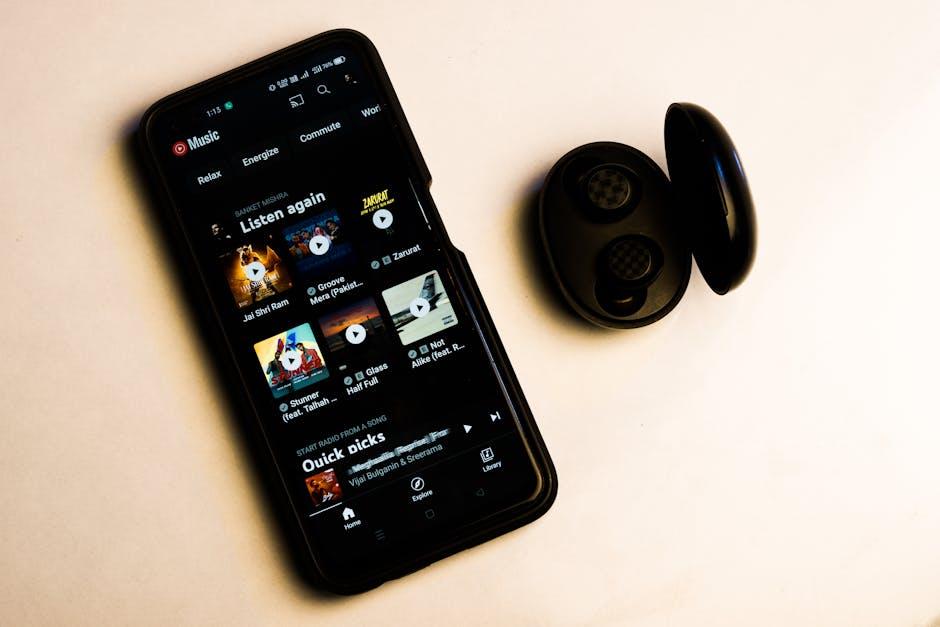
Imagine this: you’re cruising down the street, your favorite playlist blasting in your ears from YouTube, and suddenly, your phone screen goes dark. Just like that, your tunes disappear. Bummer, right? Well, fear not! If you’ve ever wished you could keep those beats rolling while multitasking or saving battery life, you’re in the right place. We’re diving into the simple, savvy ways to play YouTube in the background on your iPhone, so you can rock out while checking social media, texting your friends, or simply basking in the glorious art of procrastination. Let’s get those tunes flowing without skipping a beat!
Unlocking the Magic: Background Play and Your iPhone Experience
Imagine this: you’re on a long drive, and the perfect playlist is just a tap away on YouTube. But wait! You pick up your phone to do something else, and suddenly, your music stops. Frustrating, right? This is where unlocking the magic of background play transforms your iPhone experience. With a few straightforward tricks, you can keep jamming to your favorite tunes, even while you’re juggling other apps. It’s like having your cake and eating it too—multitasking without sacrificing the beat!
Here are a couple of ways to make background play work for you:
- YouTube Premium: One of the simplest ways is signing up for YouTube Premium. It’s like having a backstage pass to the concert; you not only get background playback but also ad-free enjoyment!
- Safari Tricks: Another cool trick is using Safari. By going to the YouTube website, playing a video, and then switching to the Home screen, you can access background play through the Control Center. It’s like sneaking backstage—your music keeps rolling while your phone does its thing.

Mastering YouTube Premium: Is It Worth the Investment?
Thinking of upgrading to YouTube Premium? Let’s break down what you’re really getting. With YouTube Premium, you’re not just paying for ad-free videos; it’s like unlocking a VIP pass to the world of YouTube. Imagine streaming your favorite tunes or tutorials without pesky interruptions or having to sit through those annoying ads. Plus, you can play videos in the background while browsing other apps, making your iPhone experience smoother than a hot knife through butter. Just think about it: a seamless listening experience on road trips, while working out, or even while cooking your favorite dish—pure bliss!
Here’s the icing on the cake: YouTube Premium also comes with access to YouTube Music, which is like stepping into a massive music library that never goes out of style. You can explore a vast selection of songs, curated playlists, and personalized recommendations without ever facing a limit. Let’s take a quick peek at what you get with the subscription:
| Feature | Description |
|---|---|
| Ad-Free Experience | Enjoy uninterrupted viewing and listening. |
| Background Play | Use other apps while your music plays. |
| Offline Downloads | Save videos and music for on-the-go access. |
| YouTube Music | Access to a vast library of songs and playlists. |

Simple Tricks to Keep the Tunes Flowing Without a Hitch
If you’ve ever tapped into some groovy YouTube jams, only to have it stop the moment you switch apps, you know the struggle is real. But don’t despair! There are some nifty tricks to keep the background music flowing while you scroll through your social feeds or tackle that to-do list. One popular method is using YouTube Premium. For a small monthly fee, you can enjoy ad-free streaming and the ability to play videos in the background. It’s like having your cake and eating it too—music that follows you wherever you go!
Not keen on subscriptions? No problem! You can still listen to your favorite tracks without shelling out any cash. Consider these free options:
- Open YouTube in Safari, start the video, then tap on “AA” in the address bar and select “Request Desktop Website.” Hit play and lock your screen. Boom, tunes are on!
- Use a third-party app that allows YouTube integration to keep those beats rolling while you do your thing.
- Another sneaky trick is simply playing audio from YouTube in the background while using another app. It may not be a perfect solution, but it can work for some!

Apps to the Rescue: Alternative Ways to Enjoy YouTube Audio
For those moments when you want to soak up the sweet sounds of your favorite YouTube videos without getting glued to the screen, there are some nifty apps out there ready to swoop in and save the day. Apps like Musica and YMusic let you dive into a universe of audio bliss while your phone is busy multitasking—whether you’re scrolling through social media or navigating a busy day. Imagine having a live DJ right in your pocket, mixing your playlists on the fly! Not only do these apps support audio playback in the background, but they also offer some neat customization options, giving you the power to control your listening experience just like a pro.
If you’re not keen on downloading new apps, there are clever workarounds that can help you out. YouTube’s website does a decent job in mobile browsers like Safari or Chrome. Simply start playing a video, then exit the app. Voila! The audio keeps booming. Just remember to pull down your control center to keep it jamming. It’s a bit like turning your car radio up while you’re stuck in traffic—you’re still getting the beats, just without the visuals! For those who enjoy exploring more structured options, here’s a quick glance at a few handy tools:
| App Name | Features | Price |
|---|---|---|
| Musica | Background playback, playlist creating | Free with ads / Premium available |
| YMusic | Audio-only streaming, offline downloads | Free |
| Safari (Web) | Easy access via browser | Free |
Closing Remarks
And there you have it! You’re now equipped to keep those beats rolling while multitasking like a pro on your iPhone. Whether you’re jamming out while cooking up a storm, powering through a workout, or simply chilling with friends, playing YouTube in the background can elevate your experience. Isn’t it great to know that you don’t have to miss out on the groovy sounds just because you’re switched to another app? So, go on and give it a try. Let the music flow and make your daily tasks more enjoyable. Dive into the world of background beats and turn every moment into a mini music festival. Keep rocking, and don’t forget to share these tips with your friends so they can join in on the fun too! Happy listening! 🎶