
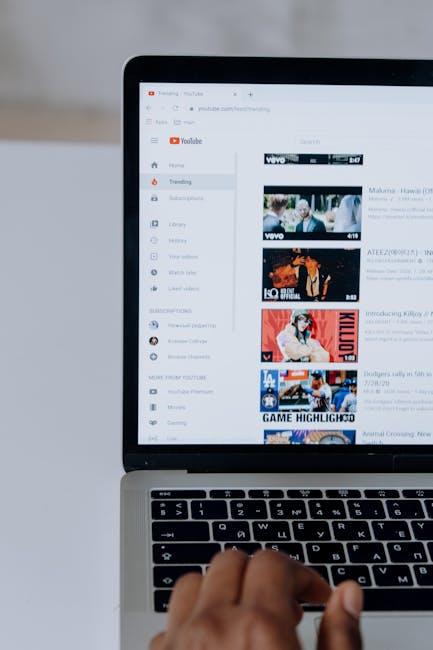
Imagine cruising down the highway with your favorite playlist pumping through your speakers, or maybe you’re at home doing chores but need a little musical motivation. Wouldn’t it be great if you could keep those sweet tunes rolling even when you’re multitasking or when your phone’s screen turns off? Well, good news! YouTube’s got your back, and today we’ll dive into the not-so-secret tips and tricks for playing YouTube in the background on your iPhone. Whether you’re a music lover or a podcast junkie, let’s keep those beats going and make the most out of your iPhone experience!
Unlocking YouTubes Hidden Gem for Your Background Jams
Ever found yourself knee-deep in a project or just hanging out, but that dead silence is driving you up the wall? YouTube has a treasure trove of playlists that can keep those vibes flowing, but listening can feel like navigating a maze on your iPhone. Here’s a little trick: You can actually play YouTube videos in the background, allowing your tunes to keep the atmosphere alive while you scroll through selfies or finish up that report. Imagine this: you’re jamming to your favorite chill beats as you swipe through your messages, all without constantly switching back to the app. It’s like having your own personal DJ on standby!
To make this work, you’ve got a few handy options. First off, consider using Safari. Just pull up the YouTube video you want, hit that “AA” icon in the address bar, and select “Request Desktop Website.” From there, play your video and hit the Home button—bam! You’re grooving while multitasking like a boss. Alternatively, there are apps like YouTube Premium that let you avoid the hassle of ads and enjoy uninterrupted audio. It’s the difference between a buffet of background sound and a radio with a bad signal! So whether you’re jamming or getting work done, ditching the silence has never been this easy!
Seamless Solutions: Playing YouTube While Multitasking on Your iPhone
Let’s face it—sometimes you want to jam to a killer playlist or catch a podcast on YouTube while scrolling through your favorite social media or replying to those ”urgent” texts. Luckily, multitasking on your iPhone isn’t just a dream anymore. With a few simple tricks, you can keep the beats going in the background, transforming your phone into the ultimate multitasking machine. Here are some tricks to make it happen:
- Picture-in-Picture: For iOS users with newer devices, small is beautiful! You can watch your video in a mini window while you tackle other tasks.
- Safari Browser Hack: Instead of the YouTube app, try opening YouTube in Safari. Play your video, then tuck the window away—pull down Control Center and hit the play button. Voila, music while you scroll!
- YouTube Premium: If you’re ready to go all out, consider the perk of Premium. You can play videos in the background without a hitch, and let’s not forget the ad-free experience!
Now, if you’re wondering how well these features hold up during your adventures in multitasking, check out the performance metrics below. It’s like the cherry on top of your multitasking sundae!
| Feature | Efficiency Rate | Usability |
|---|---|---|
| Picture-in-Picture | 95% | Super User-Friendly! |
| Safari Browser Hack | 90% | Easy with a Twist! |
| YouTube Premium | 99% | Best Overall Experience |

Apps and Tricks: Your Best Friends for Background Playback
For those who love to jam out while multitasking or just chilling, leveraging the right apps can skyrocket your listening experience. Have you ever wished you could listen to your favorite YouTube tracks in the background while scrolling through your socials? Well, there are some nifty apps and tricks up your sleeve that can make it happen! Here’s a quick cheat sheet to get you rolling:
- Safari Trick: Just open YouTube in Safari, hit the “aA” icon in the URL bar, tap “Request Desktop Site,” and play your video. Then, hit the home button, and voila—your music keeps playing!
- Third-Party Apps: Apps like Musique or ListenUp are designed for this very purpose, allowing smooth background playback of your favorite tunes without the hassle of ads or interruptions.
If you’re more into shortcuts, consider using a music player app that supports playlists from YouTube. Many of these applications allow you to create and organize playlists, giving you that sweet DJ vibe at your fingertips. Here’s a quick overview of some solid options:
| App Name | Key Features | Pros |
|---|---|---|
| Musique | Minimalist design, playlist creation | Simple and efficient |
| ListenUp | Background playback, ad-free | Great for long listening sessions |
| YMusic | YouTube video downloader, no ads | High-quality audio access |

Beats on the Go: Customize Your Listening Experience Like a Pro
Imagine this: you’ve got your favorite YouTube playlist lined up, but you’re on the go, juggling errands or enjoying a peaceful jog in the park. Who says you have to sacrifice your soundtrack? With a few simple tweaks, you can step into a world where beats follow you everywhere—like a personal DJ in your pocket! To set this up, you can start by using Safari to load your desired YouTube video. Once it’s started, tap on the “aA” icon in the address bar and select “Request Desktop Website.” This hack turns your mobile YouTube experience into a full-fledged music player, allowing it to play in the background while you navigate through different apps.
But wait, there’s more! If you want to go pro and take control, consider subscribing to YouTube Premium. Not only does it give you an uninterrupted streaming experience with no ads, but it also unlocks the ability to enjoy music without keeping the app open. Plus, you can download videos—another bonus for when you’re offline. To keep your listening experience fresh and vibrant, check out these quick tips:
- Playlist Perks: Organize your favorite tracks into custom playlists to elevate your mood anytime.
- Engage with Like-Minded Listeners: Explore playlists created by other users. Why not discover new music through recommendations?
- Use a Wireless Speaker: Connect your iPhone to a Bluetooth speaker for an even richer sound when at home or outdoors.

Key Takeaways
And there you have it! Playing YouTube in the background on your iPhone isn’t just a nifty trick; it’s a game-changer for how you enjoy your favorite tunes, podcasts, or even those quirky cat videos while multitasking. Whether you’re jamming out during your morning jog or letting the good vibes flow while cooking dinner, those beats don’t have to stop!
So, go ahead and give it a whirl. Experiment with different apps or methods, find what works best for your style, and keep the rhythm flowing all day long. Your iPhone is more than just a phone; it’s your personal concert hall, a lecture space, or even your comedy club—fully ready to entertain while you hustle through your day.
Don’t let those sweet sounds of creativity fade away! Keep the beats going and let the music be your constant companion. Happy listening, and remember: life’s too short for silence! 🎶