
Ever found yourself watching a captivating YouTube video, thinking, “I need to save this for later!”? You’re not alone! The idea of downloading YouTube videos sounds almost too good to be true, like a slice of pizza that never gets cold. But hold up—before you dive into the rabbit hole of download options and shady software, let’s unpack what’s really going on. Is it even legal? What’s the best way to do it without running into headaches? Buckle up, because we’re about to explore the ins and outs of downloading those viral clips, music videos, and DIY tutorials, all while keeping it fun and friendly!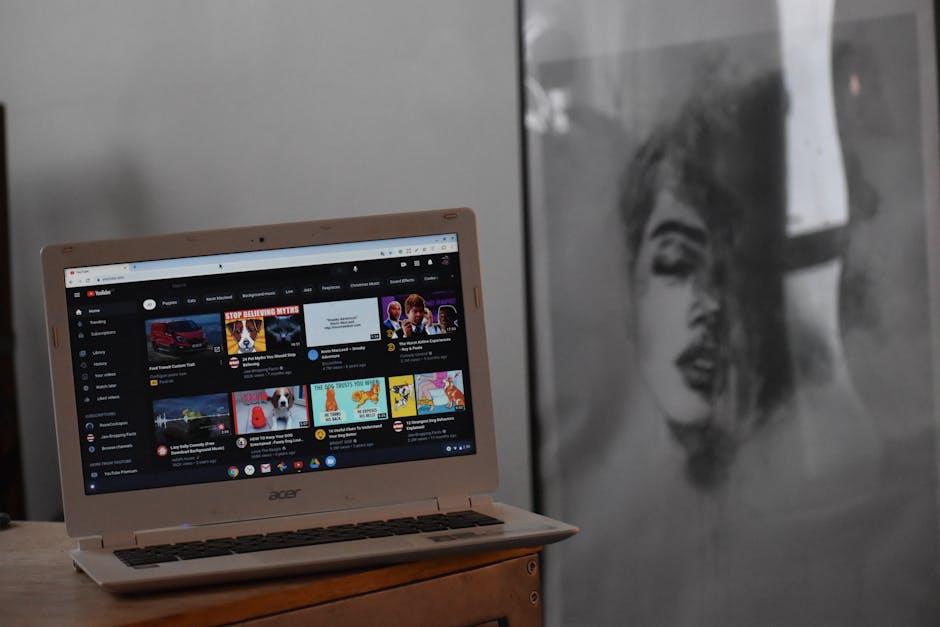
The Legal Maze of Downloading YouTube Videos
Diving into the world of downloading YouTube videos is kind of like wandering through a legal labyrinth; it’s confusing and a bit intimidating. First off, the Digital Millennium Copyright Act (DMCA) lays out the rules regarding copyrighted material, and YouTube videos often fall into that category. If someone uploads their content to YouTube, they usually retain certain rights, which means downloading them without permission might not be totally above board. However, there are loopholes, and navigating them requires a blend of caution and savvy. Imagine it like walking a tightrope; one misstep, and you could find yourself tangled in legal trouble.
That said, there are some exceptions worth noting. For example, here’s a quick rundown of scenarios where downloading may not be illegal:
- Public Domain Content: Some videos are free to use and share.
- Creative Commons Licenses: Videos with these licenses allow for certain uses, often including downloads.
- Your Own Videos: You have full rights to your content, so go ahead and download!
So, is it a clear-cut process? Not really. It’s like trying to decipher a cryptic puzzle—there’s a lot to consider. If you’re ever in doubt, it might be worth consulting with a legal pro who can shed light on the murky waters of copyright law. After all, it’s better to be safe than sorry!

Tools and Techniques to Grab Your Favorite Clips
YouTube offers a treasure trove of videos, but being able to snag those clips for offline enjoyment can feel like hunting for hidden gold. Thankfully, a variety of tools and techniques can help you grab those favorite moments without a hitch. Software options like 4K Video Downloader and YTD Video Downloader make it easy to keep your loved clips at hand. Just copy the video URL, paste it into the respective tool, select your desired format, and watch the magic happen. It’s like having a magic wand that turns online videos into personal gems!
If you’re into browser extensions, tools like Video DownloadHelper can be a game-changer. With just a click, you can download videos right from your browser! Plus, let’s not forget about online converters like SaveFrom.net, which allow you to grab clips without needing to install anything. It’s as simple as pie! Just paste the URL, tweak some settings, and boom—you’ve got yourself a personal video stash. Just remember to check the copyright rules on the content you are downloading; it’s best not to step on any toes!
Navigating YouTube’s Terms of Service Without the Headache
When it comes to YouTube, diving into their Terms of Service can feel like navigating a labyrinth designed by a team of cryptographers. You might be asking yourself, “Can I actually download those awesome videos I want to watch offline?” Well, here’s the scoop: YouTube’s policies are quite clear about this. Generally, downloading videos is a big no-no unless you’re using their official app with a premium subscription, which allows offline viewing. They’ve crafted these rules to protect the content creators who put their heart and soul into their videos. Think of it as their way of ensuring everybody gets a fair slice of the cake!
You may have stumbled upon various third-party tools claiming they can help you download videos from the platform. While the tech jungle is rife with such handy solutions, tread lightly! Many of these come with potential risks, like violating YouTube’s policies or, worse, exposing your device to malware. Here’s a quick breakdown of what you should keep in mind:
| Method | Legality | Risk Level |
| Official YouTube App (Premium) | Legal | Low |
| Third-Party Downloaders | Often Illegal | High |
| YouTube Video Editor | Legal | Medium |
So, whether you’re itching to save that epic tutorial or just want a slice of weekend entertainment, remember: staying on the right side of the law is always best. Wouldn’t you prefer enjoying those video gems without the headache of legal troubles hanging over your head? Stick to the official paths, and you can stream and browse freely, guilt-free!
Alternatives to Downloading: Streaming Solutions That Work
When it comes to enjoying your favorite videos, streaming solutions offer a world of convenience that downloading just can’t match. Think about it: instead of cluttering up your device with files, you can watch content on the fly, whenever and wherever you want. Services like YouTube Premium not only give you ad-free experiences but bring offline viewing and background play into the mix – all for a monthly fee. Other platforms like Vimeo and Dailymotion also empower users with streaming options, letting you indulge in your favorite content without the hassle of downloads.
There are even standalone apps designed to boost your streaming experience. For instance, Plex organizes all your media, from videos to photos, in one place, managing your library seamlessly. Want a more interactive option? Twitch lets you dive into live streams, showcasing everything from gaming to art, making the experience more engaging. Plus, if you want to try something new, there’s always the option of social media platforms where they host video content. The world of streaming has transformed how we consume media, allowing for flexibility that downloading simply can’t provide!

To Wrap It Up
So, there you have it—the lowdown on downloading YouTube videos! While the temptation to snag those viral clips or your favorite music videos might be high, remember the rules of the road. Yes, there are ways to do it, but it’s like playing with fire; you’ve got to be careful not to get burned. Whether you go for officially sanctioned methods or dip your toes into the murky waters of third-party tools, keep it legal and ethical.
Think of it like borrowing a book. It’s fine to enjoy the story, but returning it or leaving it on the shelf for others is always the right call. So, before you hit that download button, weigh your options and ask yourself: Is this content worth the hassle? After all, YouTube is all about sharing and exploring, and oftentimes, a simple playlist can bring you the joy without any gray areas. Keep streaming, keep discovering, and let those videos inspire your next adventure!