
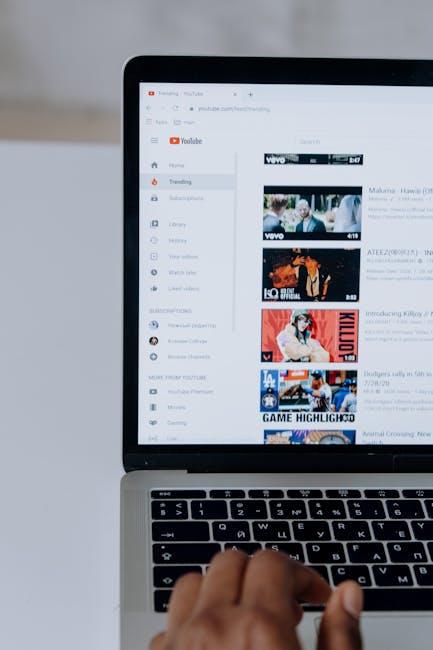
Thinking of wiping the slate clean and starting fresh on YouTube? You’re not alone. Whether you’re tired of old content that no longer represents who you are or simply want to break free from the digital clutter, hitting that reset button can feel incredibly liberating. Imagine shedding the weight of past videos like an old snake shedding its skin—refreshing, right? In this handy guide, we’ll walk you through the steps to completely erase your YouTube presence and outline some key considerations to keep in mind. Ready to dive in? Let’s break it down!
Understanding the Need for a Fresh Start
Sometimes, the digital space can feel overwhelming, just like an overstuffed closet that you keep meaning to organize but never quite find the time for. If your YouTube channel has turned into a cluttered collection of videos that no longer reflect who you are or what you care about, it might be time for a refresh. Think of it as hitting the reset button, empowering yourself to reclaim your creativity and purpose. Whether you’ve outgrown your content or just want to try something new, clearing the social media slate can be liberating. It’s like shedding old skin to embrace the vibrant you underneath.
When considering a fresh start, it’s crucial to recognize the benefits of this digital declutter. Here are some reasons to consider:
- Rediscovery: Reconnect with your original passions and goals.
- New Identity: Experiment with fresh content styles that resonate with your current self.
- Audience Engagement: Attract new viewers who align with your revamped vision.
By shedding old content, you’re making space for new ideas to flourish! This process can transform your channel from stagnant to dynamic, energizing both you and your audience. It’s not just about erasing the old; it’s about making room for a brighter future.

Uncovering the Steps to Delete Your YouTube Account
Ready to hit that restart button on your YouTube journey? Deleting your account isn’t as daunting as it sounds; in fact, it can be broken down into a few simple steps. First things first, log in to your account, and head over to the settings by clicking on your profile icon—think of it as finding the key to your own personal treasure chest. Once you’re there, look for the “Advanced settings” under the “Settings” menu where you can really start making some significant changes.
Now, brace yourself for the final act! In the “Advanced settings,” scroll down until you find the option to delete your account. Click it, and a little prompt should pop up, asking you to confirm your decision—kind of like staring into the abyss before taking that leap. Before you hit the delete button, be sure to read the important notes regarding what you’ll lose—think of it as a friendly warning sign on the road ahead. Once you’re sure, go ahead and confirm; just like that, your YouTube presence will be a memory!
Aftermath of Erasing Your Presence: What Comes Next
Once you’ve hit that “erase” button, it’s natural to feel a mix of relief and uncertainty. You might wonder, what’s next? First off, it’s crucial to accept the reality of your decision. Your old videos, comments, and engagement have vanished like smoke, leaving behind a blank slate. This fresh start is like cleaning out a cluttered closet—at first, it might feel a bit bare, but soon enough, you’ll realize how liberating it is to let go of what no longer serves you. Take this opportunity to redefine your content, explore new interests, and reconnect with the reasons you started creating in the first place.
Now, let’s talk strategy. Without your previous content hanging over your head, it’s time to cultivate a new vision. Focus on building a stronger brand that aligns with your current passions. Consider these steps to get started:
- Assess Your Interests: What topics excite you now?
- Create a Content Calendar: Plan your next moves to stay consistent.
- Engage with Your Audience: Build relationships from day one; keep feedback in mind.
- Explore New Platforms: Don’t limit yourself to YouTube; try TikTok or Instagram for a change!
And remember, improvement comes with time. Just as a gardener nurtures seeds into vibrant blooms, give your new channel the same love and care. Consistency and authenticity are your best friends moving forward!

Embracing New Beginnings: Rebuilding Your Digital Footprint
Taking the plunge to wipe your YouTube slate clean is like tossing out your old, cluttered wardrobe. You know how refreshing it feels to declutter? It’s the same vibe when you decide to rebuild your digital identity. Start by diving into the settings of your YouTube account and choose to delete your channel. Just remember, this is a big step. Before you hit that final button, think about what you want to keep. Want to save your videos? Download them first! It’s like packing your favorite clothes before donating the rest. Once you’re ready, follow the prompts, and like magic, you’ll see your avatar vanish. That’s empowerment right there!
But it’s not just about hitting delete. After you’ve taken that courageous step to wipe the slate clean, consider what you want your new digital presence to look like. Think of it as giving yourself a brand new wardrobe, filled with styles that truly represent who you are now. Start fresh by creating a new account and customize it like a cozy living room—make it welcoming! Here’s a quick list to guide you:
- Choose an engaging channel name
- Design eye-catching channel art
- Create content that reflects your passions
- Engage with your audience genuinely
Remember, this is your digital rebirth! Be creative, be bold, and most importantly, be authentic. The internet is a big place, and there’s room for your unique voice.

Key Takeaways
And there you have it—your guide to hitting the reset button on your YouTube life! Whether you’re looking to wipe the slate clean or just take a breather from the noise, decluttering your channel can feel like a breath of fresh air. Remember, it’s totally okay to pivot and redefine your online presence. Think of it as a digital spring cleaning; sometimes, you just need to get rid of the old to make way for the new. So, go ahead, embrace that change. Your digital space should reflect you—available, vibrant, and ready for whatever lies ahead. And hey, if you decide to start fresh, I’d love to hear about your journey! Happy erasing!